From the job posting to the interview
From a single job posting and your profile, a complete, coordinated application set takes shape — checked by an independent model, guided all the way to the interview. The application is ready in about ten minutes.
Set up once — then it stands
You create your profile and layout once. From then on, every application draws on them.
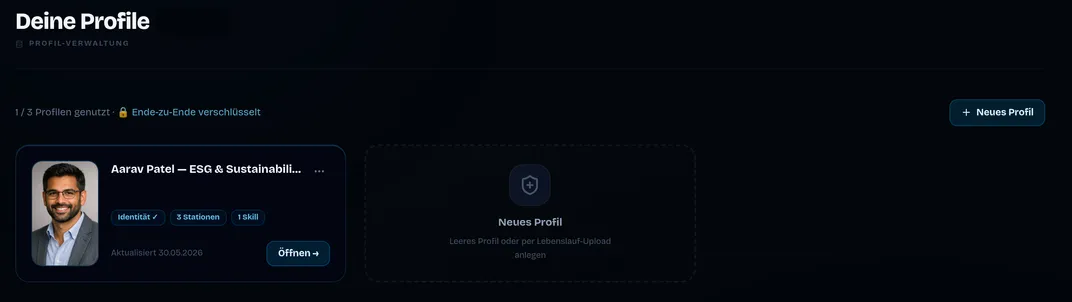
Your profile once — it carries every application
Career history, roles, facts: entered once, your profile flows into every application. The CV import reads an existing résumé. With our Chrome extension, straight from LinkedIn too. Only what’s actually in your profile counts; what isn’t there is never claimed. Plus your own voice: after your first application you can optionally answer a few questions — so every application sounds like you, not like AI.
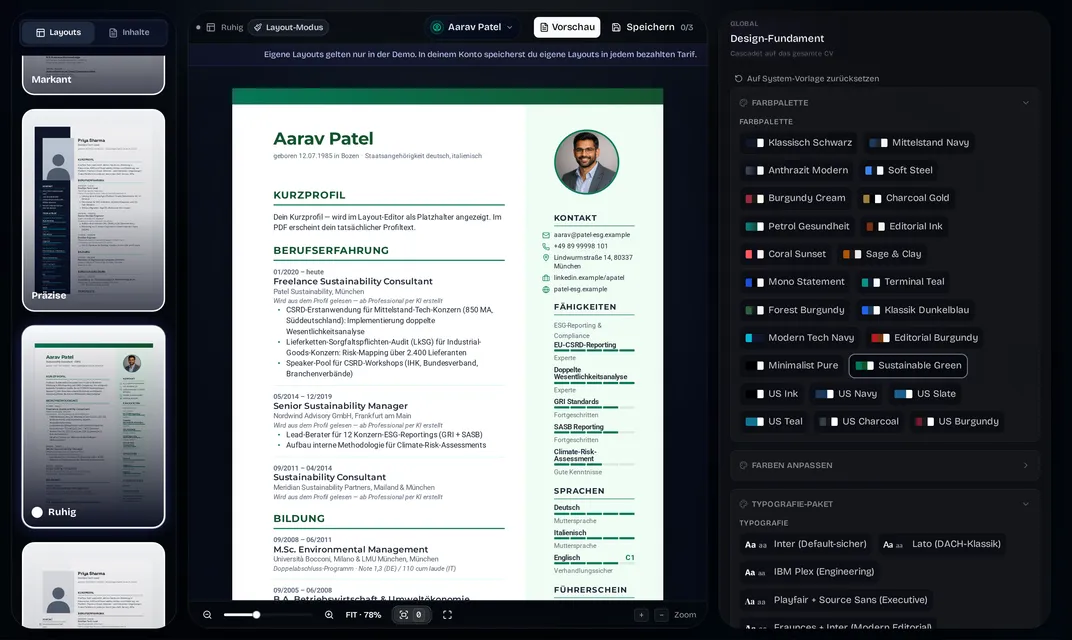
Your layout: simply pick one
You simply pick your layout — ready-made templates from the gallery, built for the German job market, ready to use. On top of that, the Layout Editor lets you tailor your entire layout exactly to your wishes — easy to use, with remarkably deep options: arrange sections freely, typography on three levels, color palettes and custom values, photo shape and position, decorators, page margins to the millimeter. The A4 live preview is 1:1 the later PDF. One layout applies to both CV and cover letter — and to every future application.
Per role — about ten minutes
From the job posting to a finished, checked set.
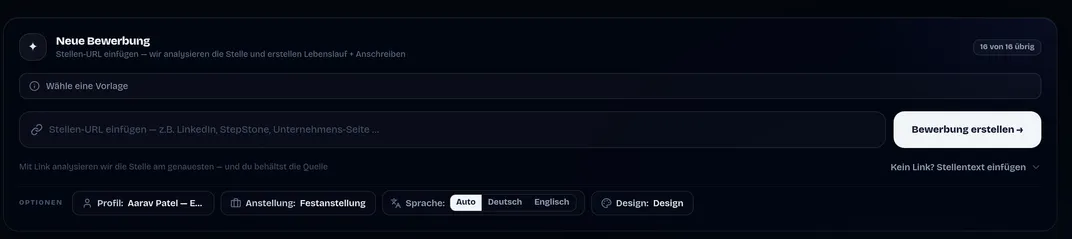
The job comes in — the original
Paste the job URL from any website — or the job text directly. Alongside it you choose profile, employment type, language and design — all in one go. If a posting can’t be read, JACVault asks for the job text instead of guessing — and your credit stays on hold until then.
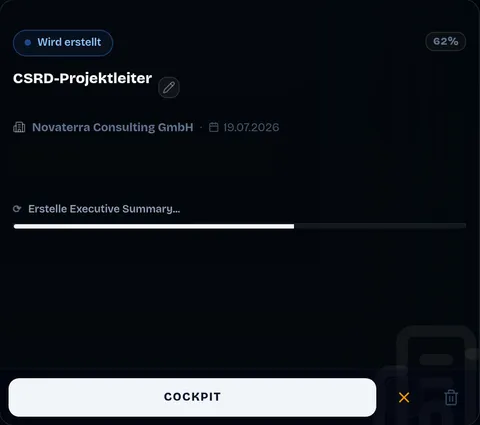
The creation — live on the dashboard
The moment the job is in, the work begins: right on your application card you watch the artefacts take shape — job posting parsed, industry gauged, company researched, CV optimized, short reference, short profile, the cover letter last, drawn from the whole picture. Quality gates check the short profile and cover letter automatically, with auto-correction. If the engine needs you, it asks — supply the job text, confirm the language. The full tracking with every detail opens any time in the cockpit — more on that shortly.
An independent model grades its own work
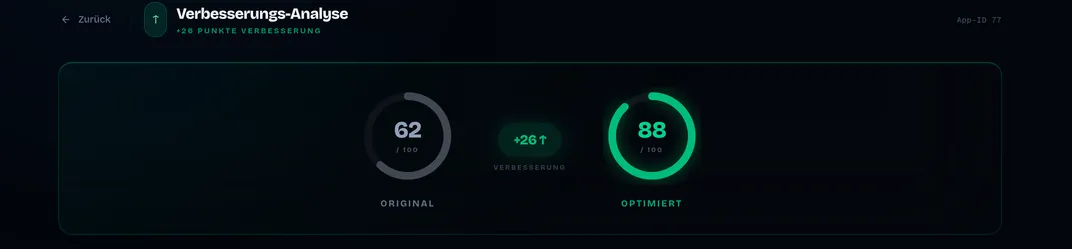
After creation, a second AI model reviews the result — independent of the one that wrote the application. It compares two things: how well your original profile fit the role, and how well the optimized application fits now. Two scores, one difference — you see in black and white whether the optimization paid off, and read why in the AI assessment. Below that it gets concrete: for every career entry, the original and optimized version stand side by side, word for word as a change view if you want, each entry with its rationale. What changed, where and why — none of it is a black box.
Two documents that visibly belong together
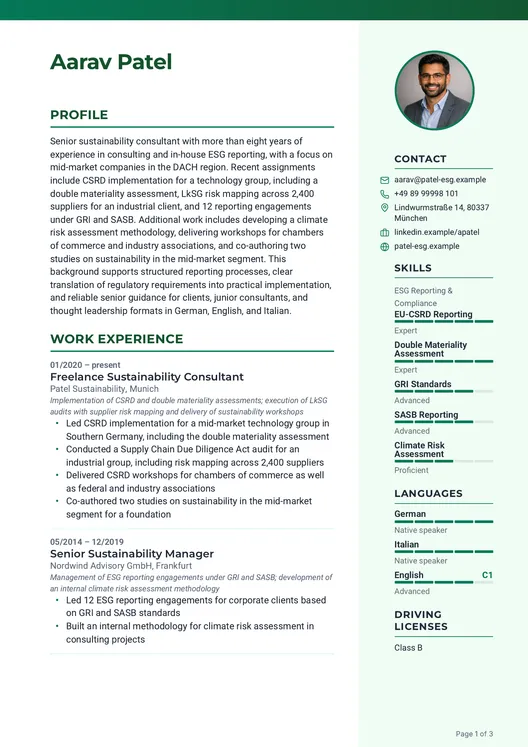
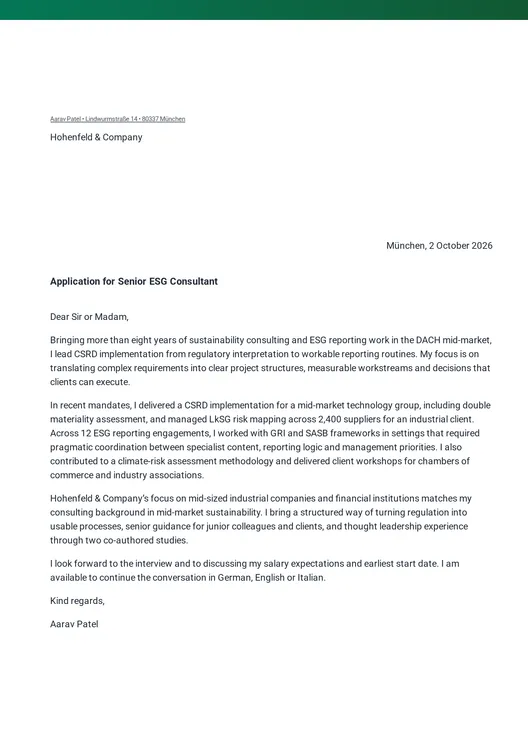
In the end you have two coordinated documents: the optimized CV with a short profile at the top and the individual cover letter, set to DIN 5008. Both in the same layout, the same typography, the same accent color, fully rendered, no loose ends. Both come from the same knowledge, but each document is weighted differently: the CV fact-dense, the short profile condensed, the cover letter personal.
You read, you refine, you sign off
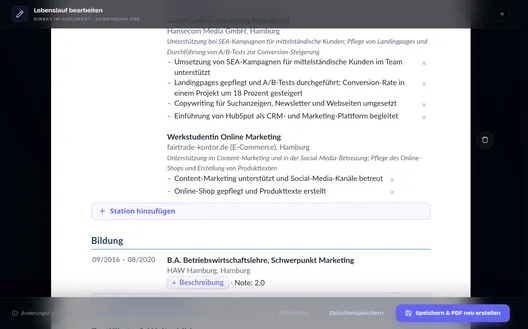
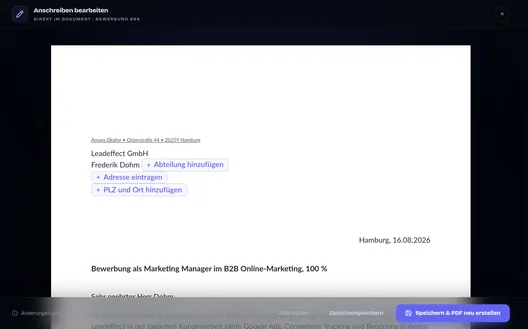
The deliberate last step before sending: you read what JACVault built and make the content fine-tuning right in the document — CV and cover letter, both in the same editor. From the first save the document is yours: reword lines, remove entries that add nothing for this role, add what’s missing — in every content section, with no limit. Your profile stays untouched: it’s the truth your next application is built from — this tailoring applies to this one application only. “Save & rebuild PDF” re-renders your document in the layout you picked — and you can still switch that layout afterwards, your changes stay. If you go too far, one click resets the document to the generated state, without using up another application. In the end you get exactly the documents you want — read, refined and signed off by you.
Everything from one context
Your documents are finished and signed off. Yet the same context they grew from carries on — all the way to the conversation: one body of knowledge behind every station, weighted differently for each artefact, no explaining twice, no second version of the truth.
Five weighted sources
Documents
CV & cover letter in the same layout
Analysis
Two fit scores with rationale
Dossier
Questions with a source quote, ready in the cockpit
Simulation
Practice the conversation, honest feedback
After you send — all the way to the offer
The same data carries you through appointments, preparation and the conversation.
One surface — from the first moment to the outcome
Cockpit and tracker are the same thing. Every application has a hub that knows all its phases — Created, Sent, Interview, Outcome. For each phase it shows exactly what matters now. After sending: the time since submission and the right moment to follow up. For the interview: your appointments with round, date and notes — and the preparation right beside them. At the outcome: salary range and negotiation coaching on an offer, a clean close on a rejection. You set every status change yourself, with a date. Nothing is guessed.
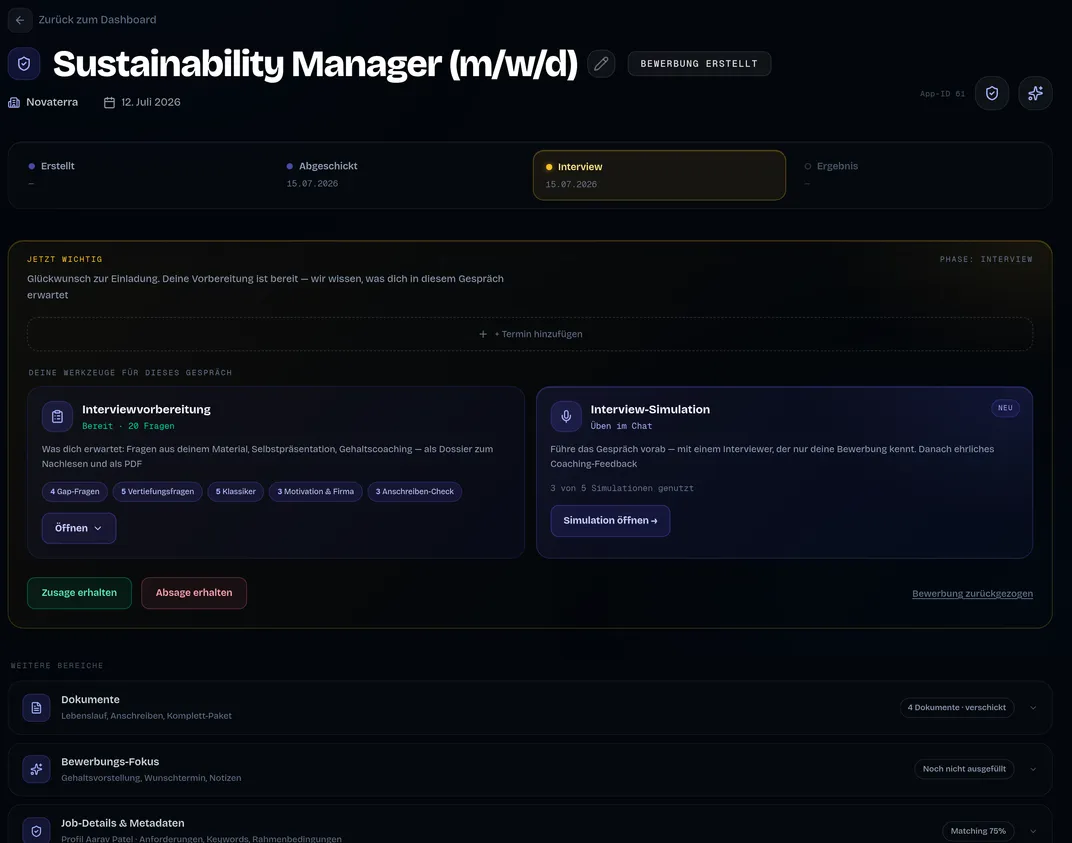
Your preparation is ready before you ask
As soon as the application is finished, the interview dossier is in the cockpit — automatically. Realistic questions with a source quote from your documents — plus the reasoning why exactly this question is likely, a coaching note and the difficulty level. On top of that: self-presentation, your own questions, salary coaching for DE, AT and CH, and “Your edge”: strengths that aren’t in the documents. For reading up, two PDFs are ready: the multi-page interview dossier and the one-page cheatsheet for the interview.
View example cheatsheet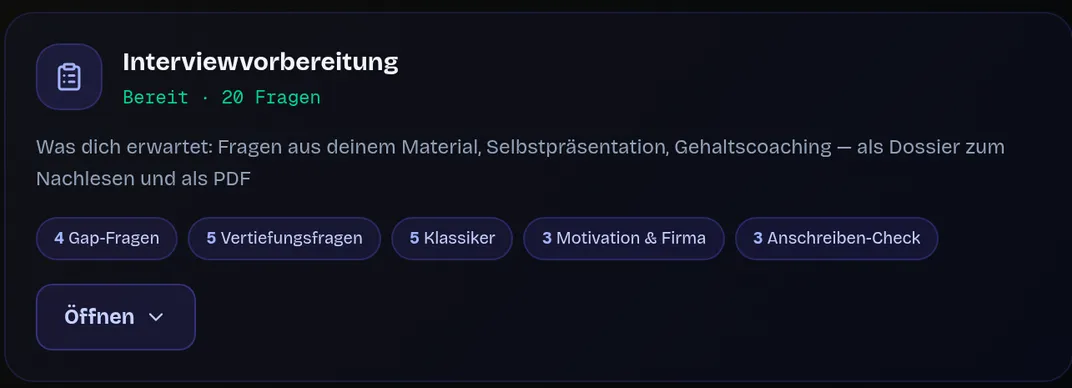
Practice the conversation — against someone who only knows your documents
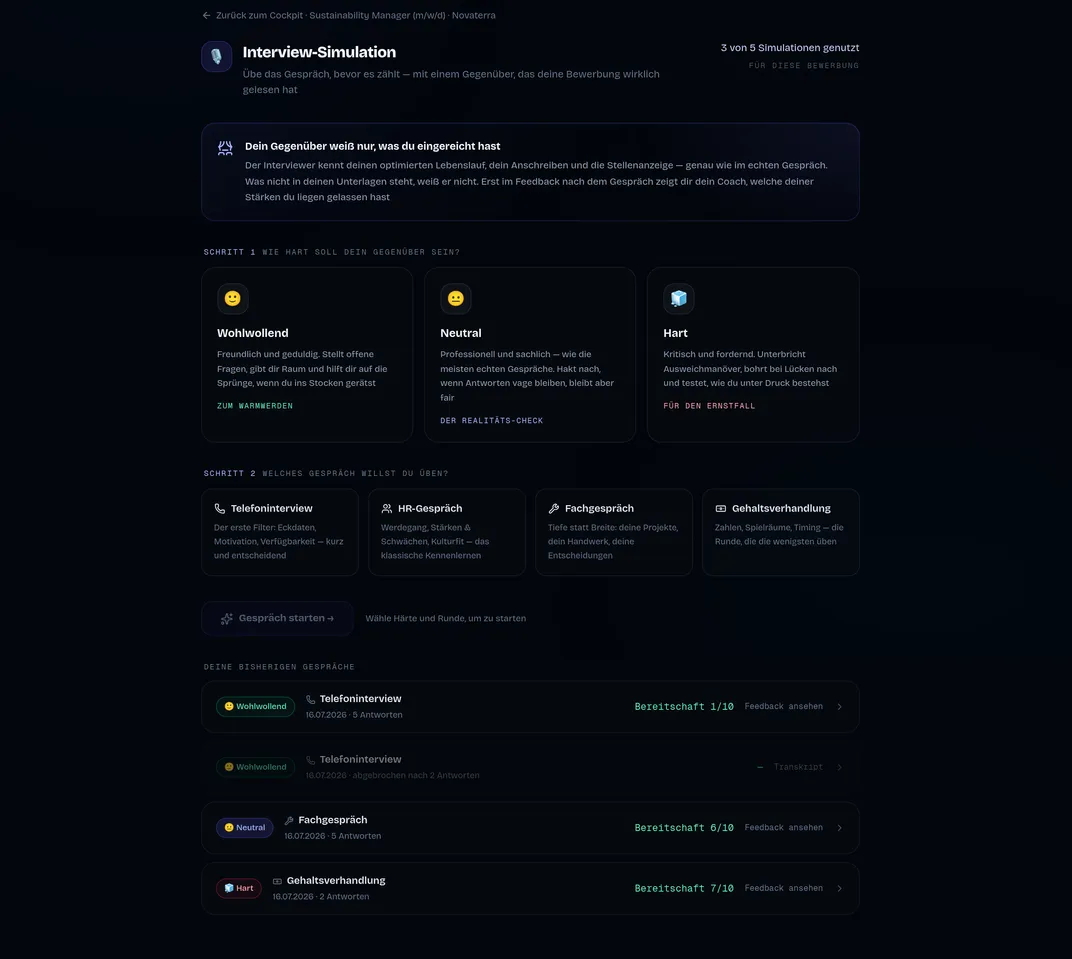
A Live-Chat at your own pace: the simulated interviewer knows only the documents you submitted — just like in the real conversation. Four rounds from the phone screen to the salary negotiation, three difficulty levels from friendly to tough. Afterwards a feedback report from both knowledge spaces: readiness score, every answer rated, plus “These strengths you left on the table”.
GDPR-compliant
Processing exclusively in the EU
Encrypted transmission
Your profile data stays protected
No public training
No public models trained on your data
Built for the German job market
DIN-compliant, for ATS and recruiters
The journey, briefly answered
How long does a finished application take?
The creation runs in about ten minutes — from the pasted job posting to CV and cover letter. Reviewing and fine-tuning come deliberately afterwards, at your own pace.
Do I still have to work on the design after generation?
No. The layout is created beforehand in the Layout Editor and stays fixed. After generation it’s only about content fine-tuning — the design is already set.
What happens if a posting can’t be read?
Then JACVault asks for the job text instead of guessing. Your credit stays on hold until then — it’s only used up with the finished application.
Do I only get the interview preparation on request?
It’s already in the cockpit as soon as the application is finished — as a dossier and cheatsheet, plus an optional simulation. You don’t have to request it.
From the job posting to the interview
Paste a job and see in about ten minutes what your profile becomes.
Built for the German job market · GDPR-compliant, EU processing